What is Handling Data?
Invoices are often treated as nothing more than paperwork.
They’re processed, stored and then very quickly forgotten about. And yet within every invoice is detailed information about what you’re buying, what you’re paying, and how those costs fluctuate over time.
The problem is, reviewing that data manually is time-consuming, and so price changes, overcharges, and shifts in spending frequently go unnoticed.
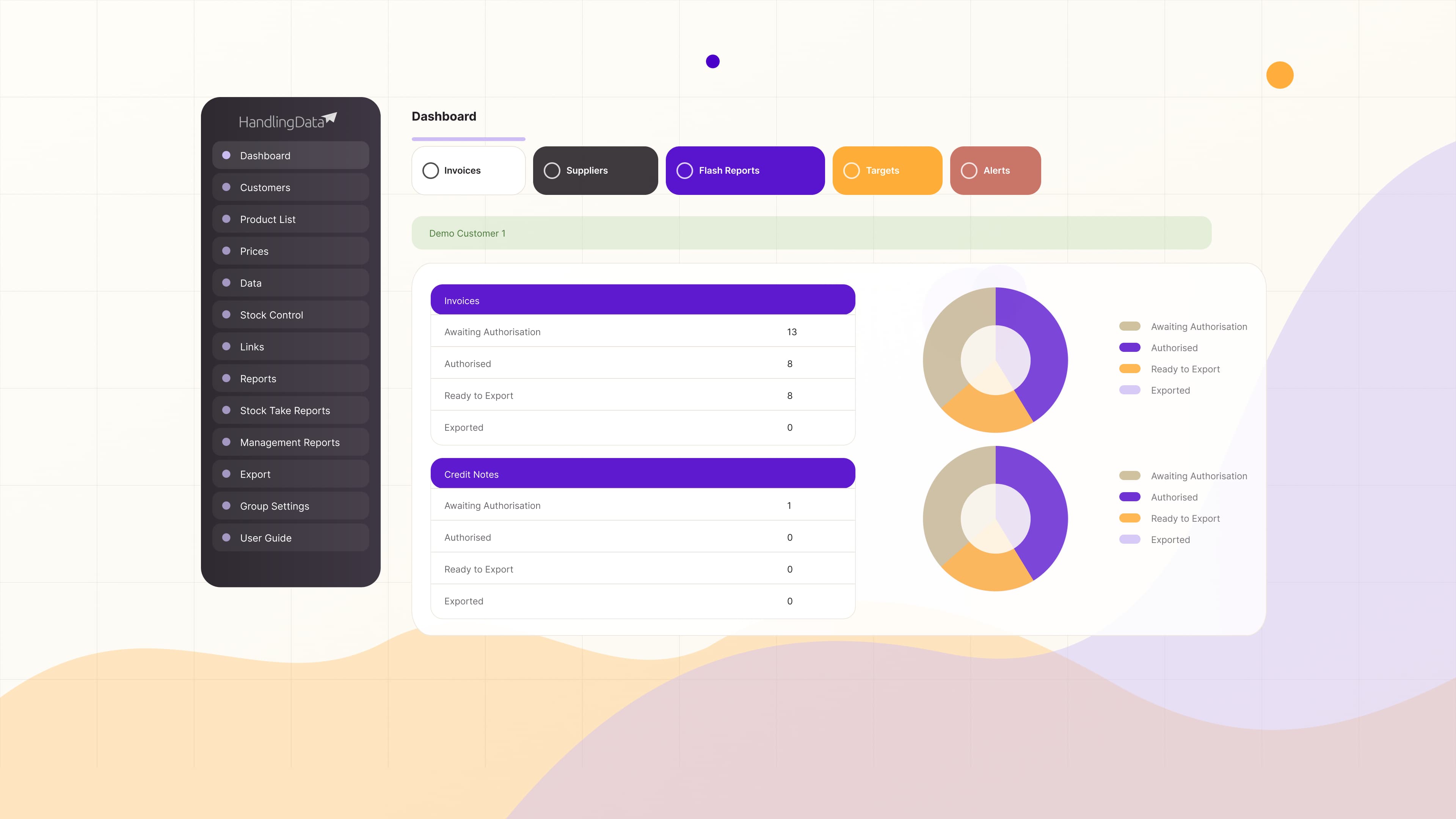
Handling Data solves that. It receives invoices, extracts and codes the data, routes them for approval, turns that information into live reports and alerts, and then exports the checked data into your accounts system.
Here’s how it works
Invoices are received
Suppliers send invoices or credit notes directly into Handling Data, typically as PDF documents. These can be sent alongside you receiving them, or Handling Data can act as the primary recipient — depending on how you want to manage your invoice flow.
As invoices come in, they are captured in one central place, ready for review and authorisation. This removes the need to manually collect, forward or organise invoices across inboxes, giving you immediate visibility and control from the moment they arrive.
Data is extracted automatically
Handling Data processes each invoice and extracts the data, including line-by-line detail such as products, quantities, prices and VAT. That data is then coded, with each item assigned the correct nominal and journal codes to align with your accounting structure.
Invoices reviewed and authorised
Once invoices are loaded, they appear in the system ready for review. Users with the appropriate permissions can check each invoice, confirm details, and approve it before it moves forward.
Handling Data supports a clear approval process. Invoices can be authorised, flagged, highlighted or annotated with notes, and any issues can be held until resolved. For example, teams can confirm goods were received, check they’ve been allocated to the correct area of the business, or pause payment if something isn’t right.
Only once an invoice has been authorised does it move forward for processing, ensuring that everything entering your accounts system has already been checked.
.jpg)
Data becomes reports and alerts
As invoice data comes in, Handling Data turns it into live reporting and alerts, flagging only what requires your attention.
This means you can quickly identify price changes and their impact on your costs, spot unusual purchases, check supplier pricing against agreed rates, and understand why performance may be falling outside of set targets.
This reporting is broken down into three areas:
Flash Reports
Reports (Other)
Management Reports
Data is exported into your accounts software
Once invoices have been authorised, they move to a “ready to export” stage. At this point, all data can be exported as a structured file for upload into your accounts system.
Each export includes key fields such as supplier name, reference, document date and number, nominal code, value and VAT, so everything is in the correct format. This replaces manual data entry, reducing the time spent inputting invoices and the risk of human error.
Everything is stored and searchable
After export, all invoices remain stored in the system and can be quickly searched by document number, supplier, date range, customer and other filters. Export history is also retained, allowing you to review and redownload past exports whenever needed.
All data is securely stored in the cloud, with GDPR compliance and enterprise-level infrastructure in place. This means no lost documents, faster access to information, and a clear, auditable record of your invoice data.
If you’d like to see how Handling Data would work in your business, book a quick call with one of our team.
.svg)
.png)
.png)






.png)